Most specifically and I am going to ask her to elaborate more from her experiences at other conferences, my colleague @heatherb mentioned an interest in perhaps a place for conference attendees with accessibility needs to have less public discussions and/or as well maybe another one for conference attendees wanting to find ride share partners.
Technically we an certainty do this, it calls for us to create an access group to which we add people requesting to be part of a private discussion. There’s a bit of overhead in making it clear how to acess a private discussion space. When these are set up, people not in the access group will not even see the space listed- for example if you are not in the OEG Members group you will never see this private area for members.
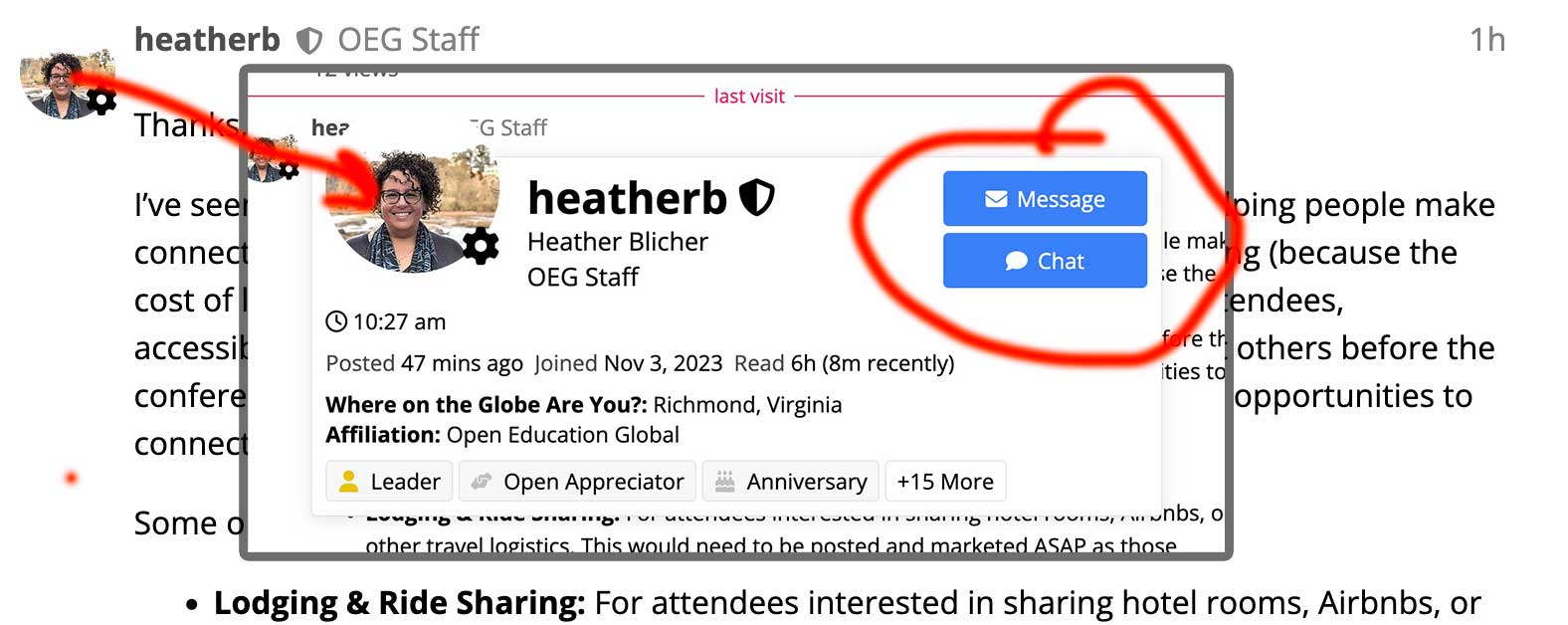
There are other options available, such as direct messaging. If you see any OEG Connect members name or icon in a discussion, or even via a topic where they are @ mentioned like @cogdog - when you click their user name you will see a button that allows you to send a private message. You can set up group direct messages.
The other one is open chat channels. On the left navigation bar under channels you should see a chat set up specifically for OEGlobal 2026, or just go directly to https://connect.oeglobal.org/chat/c/oeglobal-2026/43. During the conference, this will be an ongoing open chat for anyone here who is registered for the conference.
We could easily create a private chat channel where those interested would have to request access-- to me this seems more appropriate for coordinating ride sharing.
That’s a lot of verbiage to see we are open to create specific communication channels for those who request them.
But I will ask my colleague @heatherb to perhaps described how these have been used in other conferences she has participated in, or other thoughts on making private discussions available.
I’ve seen similar channels work well at large conferences, especially for helping people make connections before they arrive. Sometimes they’re focused on room-sharing (because the cost of lodging in a place like Cambridge can be challenging!), first-time attendees, accessibility, or simply people who are traveling alone and hoping to meet others before the conference actually starts (as we know there will be conference-organized opportunities to connect, but this is for those seeking more!).
Some opt-in/private channels I could see being helpful are:
Lodging & Ride Sharing: For attendees interested in sharing hotel rooms, Airbnbs, or other travel logistics. This would need to be posted and marketed ASAP as those attending in person are searching for lodging right now!
Accessibility: A place for attendees with accessibility needs or questions to connect, share tips, coordinate transportation, or support one another.
First-Time Attendees: A space for newcomers (or anyone attending solo) to introduce themselves, ask questions, and perhaps plan to meet up during the conference.
My thought about making these opt-in/private channels isn’t because the topics themselves are private. It’s because these conversations often lead to people sharing personal information such as email addresses, phone numbers, travel plans, hotel arrangements, or accessibility-related details. Some people may feel more comfortable doing that in a smaller, opt-in space than in a public forum.
That said, I think the most important thing is creating opportunities for people to connect. Whether these spaces are open or opt-in/private, I would write a brief reminder encouraging attendees to use common sense when sharing personal information or making arrangements with people they’ve only met online. Something like:
These channels are intended to help attendees connect before and during the conference. They will be minimally moderated. Please use good judgment when sharing personal information or making travel or lodging arrangements with others.
Ultimately, my goal is simply to make it a little easier for people to find others with similar needs or interests. Conferences can be a little overwhelming, especially for first-time attendees or those traveling alone, and sometimes making one connection before arriving can make all the difference.
Yes, these are absolutely the things we would like to see, hence us doing a ramp up of activity and topics now before the conference.
In general these topics on their own would be of general interest, and we might lose opportunity if people have to request access. I might suggest we establish some protocols that help people understand that the discussions are semi-public (open to conference attendees) but if they are making plans that involved sharing details like phone numbers, emails, this is readily done via the built in option to OEG Connect to send someone a direct (private) message.
I can just click your username/icon to see your mini profile, and use the buttons to send message or open a chat, both are private.
Email addresses are never shared in this platform.
If there is interest in a group to have a “channel” for making connections/plans, using the chat might work better than topic threads. We can create on request a private chat channel.
@cogdog in my previous conference attendance, requesting access was simple and it felt more secure knowing my info was not available to the public. But perhaps there are other safeguards I’m not aware of. I would also ask if there are already basic tutorials on Connect for newcomers? This would be helpful to share when marketing whether they are open or opt-in/private. I get a little lost in here, I have to admit.
The Discourse platform does not make your personal information public, your email address cannot be seen by anyone, and the only information shared is what you add to your profile. It is as secure as any other platform you create accounts on, maybe more than others.
All users who create accounts are sent our How to use Connect Guide also available on the left navigation menu under More…
Note that I have not yet organized the conference space. We will include a Getting Started Guide as we have done in our previous conferences.
Yes, I understand that it might be bewildering with many places on the site, but the basic tasks are no different from other platforms. Reply to a thread, start a new one. Share links. Click like buttons.
I am more than happy to provide you and anyone else help anytime.
My point is that in trying to find a person to share lodging with (one example), a user would share their email address. It is not intuitive to all to hop over to where a chat can take place. So they will end up sharing it with everyone.
I am trying to represent/speak for the community I work with the most- many are not a part of Connect because of how it’s set up, and honestly, it’s one more thing to learn in an already busy day of responsibilities! I just want us to make these channels as easy to use as possible for those who might use them.
Thank you for the thoughtful discussion and for sharing your perspectives.
Our goal is to create a welcoming and safe space for conference participants to connect before and during the conference. We know there isn’t a single perfect solution, and these spaces will be just one of many ways attendees can meet, ask questions, and build connections.
As we shape the conference experience, we appreciate hearing different viewpoints and ideas. Please continue to share any feedback or suggestions you think we should consider. They’ll help us design an approach that is welcoming, practical, and manageable for both participants and the conference team.
Re: the question of an accessibility channel. Having it be a private channel to share concerns could give the impression of a dedicated “complaints” channel, which might not be what you’re looking for? It might be more useful to have a public channel for reporting any issues as they arise. That way, those working on the conference could check in on the channel regularly and address problems promptly. Having it public would also help other people attending note (and potentially address) issues more quickly. At the same time, of course, an email for reporting more private concerns is a necessity, but having a general purpose channel would be good, and might alleviate concerns about “being a squeaky wheel.”
If others disagree, I am a-okay with being wrong, though! Having an accessibility channel could be useful for giving shout-outs for good and bad practices at the conference, and to keep things focused on a specific topic in that space without issues getting buried under more general concerns.
Other opt-in channels that might be useful, mostly from my experience at the OpenEd conference:
A “Water Cooler” channel: We did this as a voice chat one year, but those who are new to Discord tend to accidentally click on voice channels and panic, so it might be better as a general purpose open chat channel. This would be a space for connecting and sharing notes between sessions for those attending virtually.
A “Cool Stuff I Learned/Found” channel: This could be a space to promote an OER you learned about in a session, to share a tool you recently learned about, an article you’ve read, or the slides from a session you attended.
[Specific Community] Channels: E.g. primary education, CC reps, etc. For OEGlobal, it might be nice to have a channel for attendees who want to discuss the conference in French or other languages common among attendees (perhaps available upon request)?
Thanks Abbey, I so appreciate your experience and willingness to contribute ideas. I agree that having an open discussion on accessibility practice (there cannot be too much of that) and what is seen in action at the conference makes for a good public discussion.
I think Heather’s idea was more of creating a way for people who have accessibility needs at the conference to perhaps “connect” and this is clearly something we’d want to provide a less public means to talk.
All of these “channels” are great options and we can certainly put them into play. These are essentially just topic threads like this one for this current discussion that started a few days ago and is growing with activity.
We will start them by request; it is build into this platform that anyone can initiate, but I do recognize that not everyone wishes to do this. I definitely am eager to create a means for sharing highlights/resources from sessions, as the dilemma always in conferences is being able to be in but one room at a time.
Thanks for the suggestions and stay tuned as we opened a bit before all the drywall was up and painted.